
1
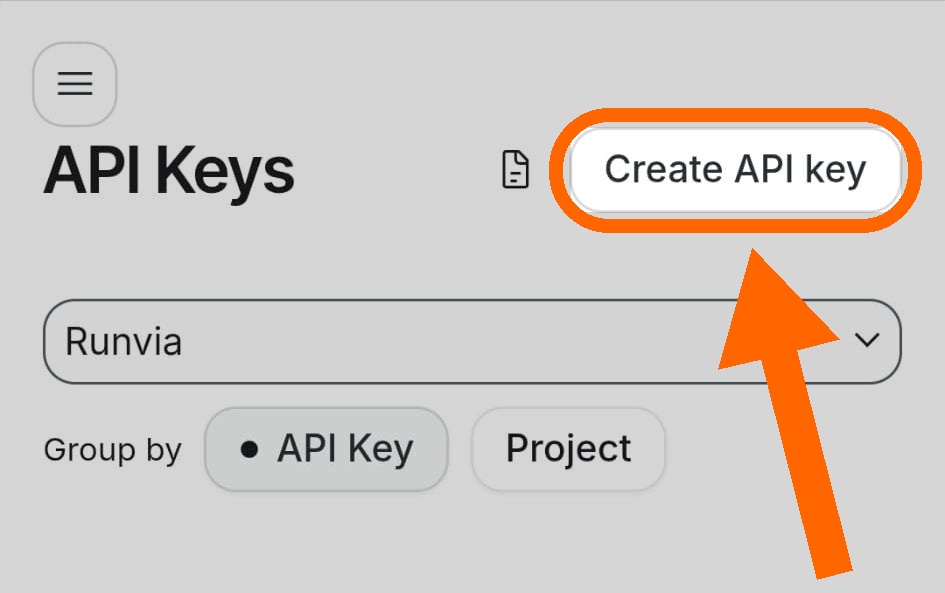
Tap “Create API key”
Go to aistudio.google.com/app/apikey, sign in, then tap Create API key.
BYOK · プライバシー
After the welcome messages, connect your Google Gemini API key (BYOK). The coach stays free and privacy stays yours: you talk to Google on your behalf, with no proprietary Runvia AI cloud storing chats. History stays on your phone.
With BYOK (Bring Your Own Key) you use your Gemini API key. Coach messages go through your Google account — not a Runvia AI middleman. Chat history stays on device, so personal conversation data stays under your control.
Gemini is Google’s AI — the same family of technology behind conversational assistants. In Runvia it’s your running coach. On Google the credential is called an “API key”.
The key lets Runvia talk to Gemini on your behalf. Google offers it free to anyone with a Google account — that’s why the Coach stays free forever. You can revoke the key anytime.
Short tutorial (~30s), same as in the app. Then open AI Studio and follow along.
Easier on a computer: create the key on a PC, then paste it in the app. Orange arrows = where to tap.
Go to aistudio.google.com/app/apikey, sign in, then tap Create API key.
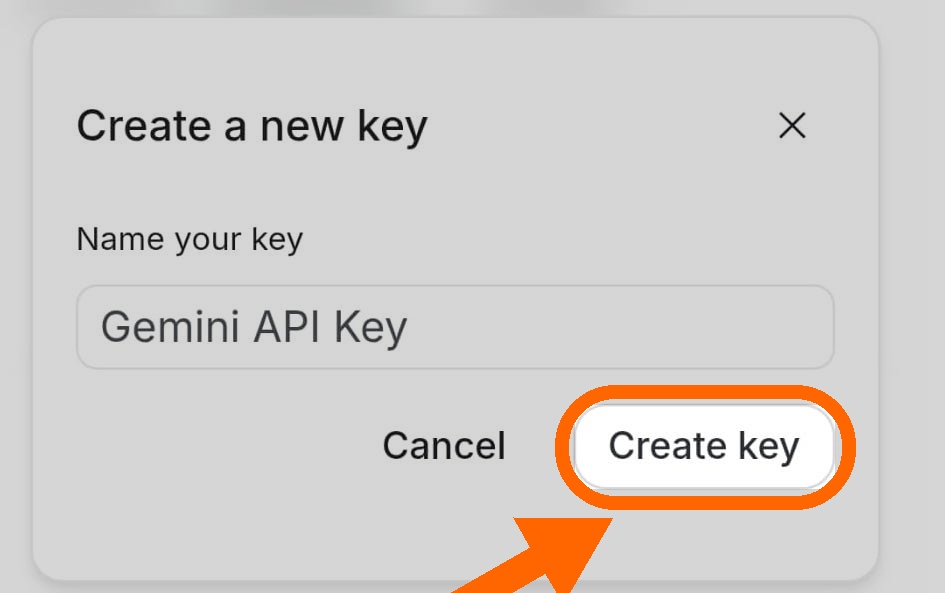
In “Create a new key”, keep the suggested name if you like, then confirm with Create key.
Tap the copy icon next to the key. In Runvia open the key guide / Settings and paste it — the app verifies it with Google.
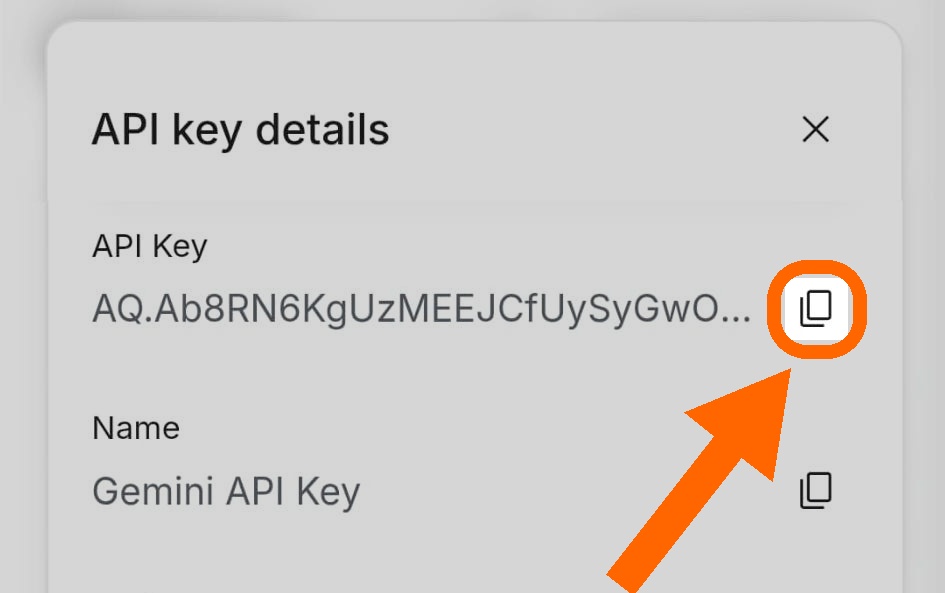
AIza or AQ.Need help? fabio.barbieri@runvia.it
The Geminiキー is issued by Google, not Runvia. Never share it publicly. Premium (watch/Health) is separate from the AI key.